Clock, date & greeting
Large time display with optional seconds, 12/24-hour formatting, and Gregorian or Persian calendar output.
01 — Selected Work
← All workA new-tab environment designed to make the browser feel quieter, faster, and more intentional.

01.5 — Preview
/assets/images/void/
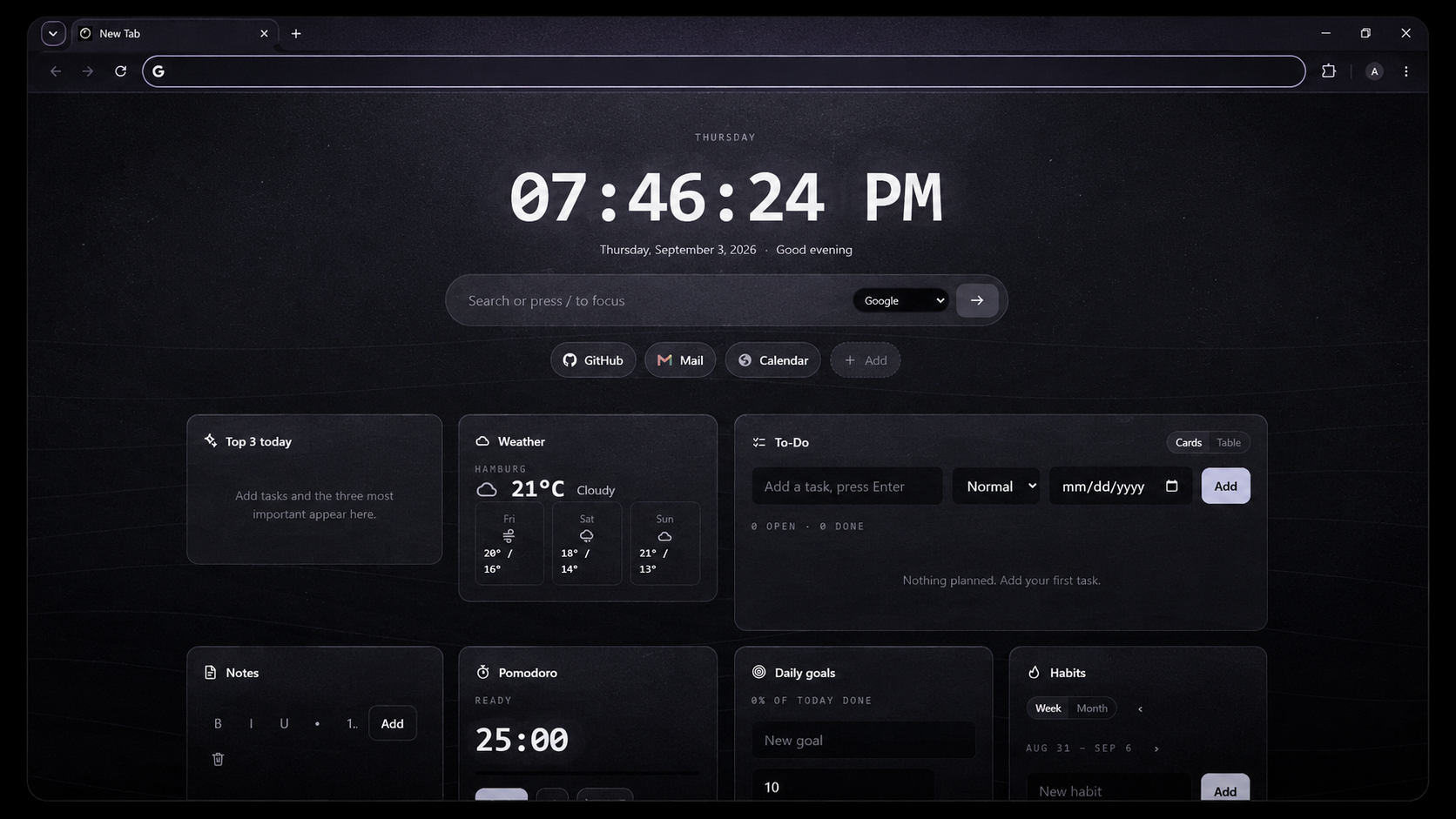
VOID is a browser new-tab extension built by unchartedAli around a simple idea: your new tab should be a useful space, not another source of noise. It combines time, search, shortcuts, personal information, planning tools, and focus features inside one calm dashboard.
02 — Overview
Open a new tab and VOID gives you the information and tools you actually need: a large clock and date, search, shortcuts, a configurable widget grid, and an optional day-progress view. The interface stays intentionally restrained so the content remains the focus.
03 — Features
Large time display with optional seconds, 12/24-hour formatting, and Gregorian or Persian calendar output.
Search through Google, Bing, DuckDuckGo, or a user-configured AI endpoint from the same field.
Keep important sites close and reorder shortcuts by drag interaction or keyboard controls.
Write quick notes and manage tasks directly on the new-tab surface without opening another app.
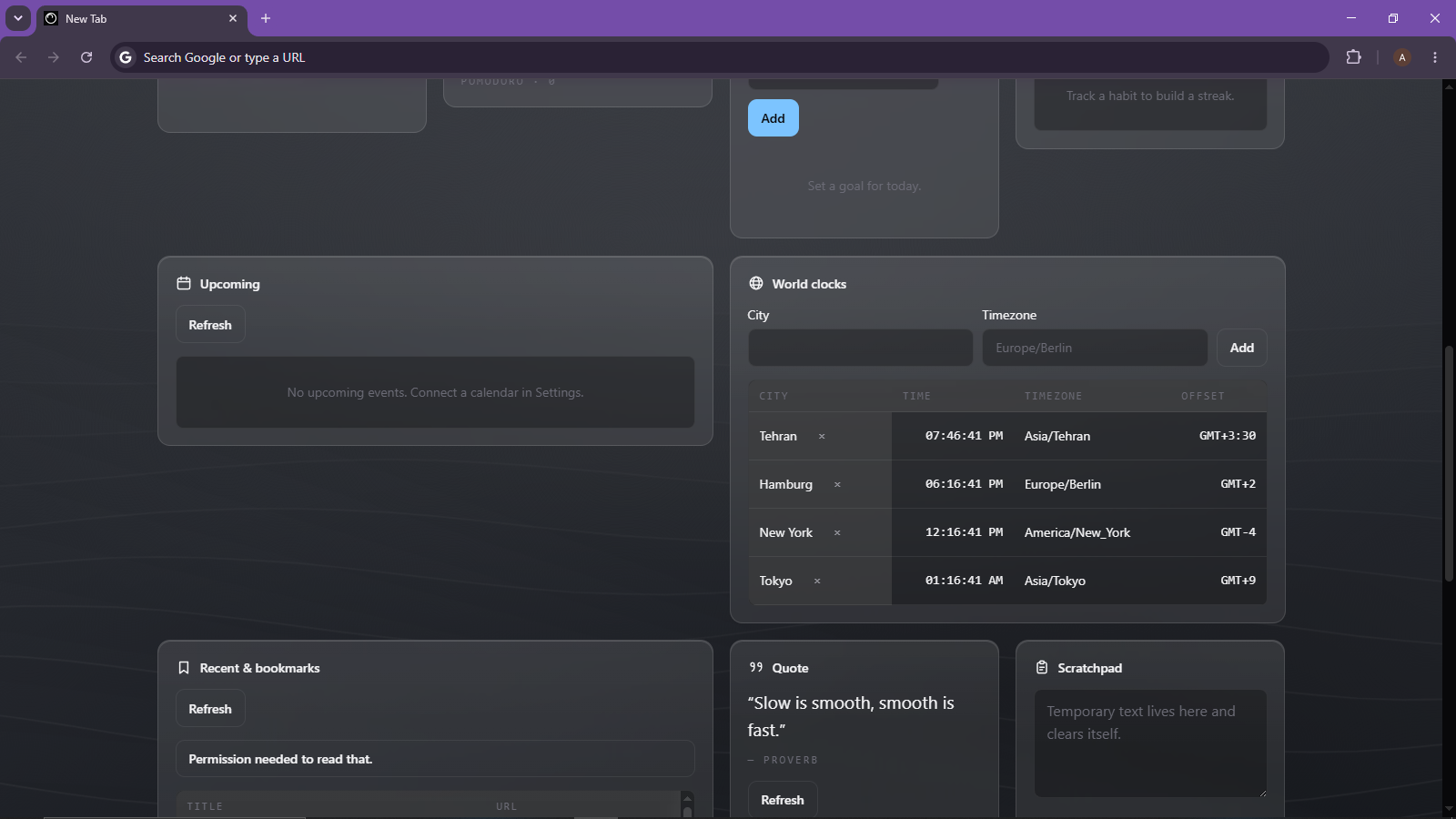
See upcoming calendar items plus recent and bookmarked pages in dedicated data widgets.
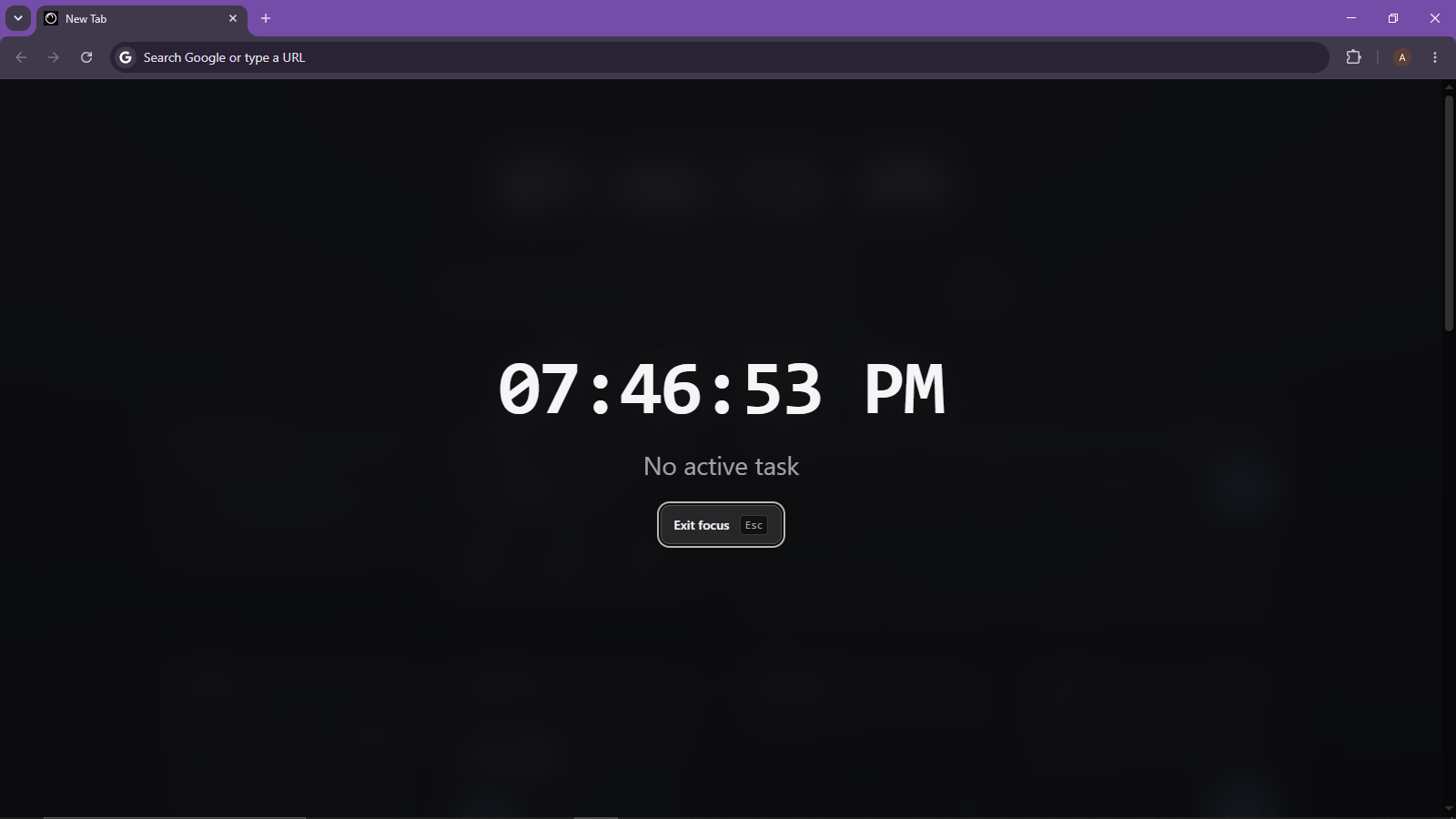
Switch into a minimal focus overlay or use the Pomodoro workflow when the browser needs to become a work surface.
Track daily goals, habits, and a Top 3 list while a day-progress meter summarizes the state of your day.
Keep multiple time zones visible and use a temporary clipboard space for information that should expire.
A dedicated widget is preserved as part of the dashboard architecture, with its own storage and drop-in contract.
Widget usage can gently influence ordering inside a limited range instead of randomly rearranging the dashboard.
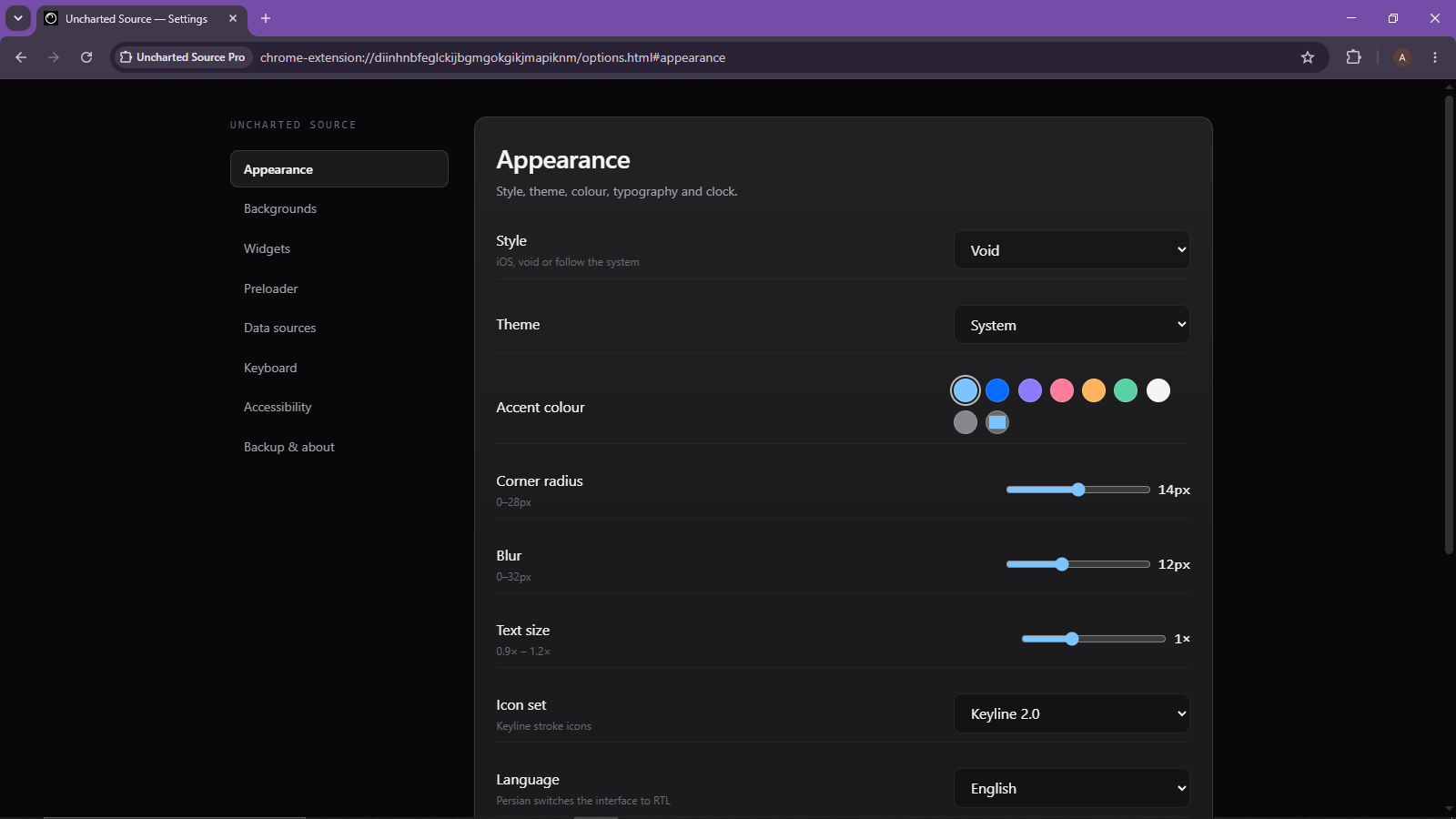
Choose light, dark, or system themes, plus bundled background categories, rotation modes, parallax, and an optional user image.
Choose from a library of 24 standalone Circle Loader animations, with speed and size controls.
04 — The Void Style
VOID currently ships with two complete style layers. The Void style uses monochrome surfaces, hairline edges, restrained blur, film grain, wide-tracked labels, and a high-contrast clock. An iOS-inspired style is available as the alternate skin. The widgets share the same semantic markup, so the visual system can change without changing the underlying dashboard structure.
05 — Privacy
VOID has no accounts, analytics, or telemetry. User data is stored through the extension storage layer, with selected local caches kept locally by design. Network access is only used for features that need it, such as a configured weather provider, optional remote quotes, or an ICS calendar feed.
06 — Installation
The current source package is structured as a Manifest V3 browser extension. For development, you can load it as an unpacked extension in a Chromium-based browser.
Install VOID directly from Mozilla Add-ons. Every release is reviewed and signed by Mozilla.
Get it on Mozilla Add-ons →Grab the signed package (v2.0.0) for Chromium browsers or Firefox, then follow the install steps below.
Download VOID 2.0.0 ↓DEVELOPMENT INSTALL
Get the project folder and make sure the folder you select contains manifest.json.
In Chrome, open chrome://extensions.
Turn on Developer mode from the extensions page.
Select Load unpacked and choose the extension directory containing manifest.json.
VOID replaces the browser's default new-tab page. The preloader appears first, followed by the dashboard.
Use the Settings button, the extension action, or Ctrl/⌘ + , to configure the experience.
{
  "manifest_version": 3,
  "chrome_url_overrides": {
    "newtab": "newtab.html"
  },
  "options_page": "options.html"
}
07 — Keyboard
08 — Distribution
VOID is distributed as a Manifest V3 browser extension. The Firefox build is published on Mozilla Add-ons, reviewed and signed by Mozilla. Chromium builds are available as a direct download from this page, with an Edge Add-ons listing planned alongside the next release.
void@unchartedali.ir.
09 — Closing
VOID is not trying to turn a new tab into another operating system. It is a compact place for the things you repeatedly need: time, search, links, information, tasks, focus, and a little room to breathe.
Explore the project, follow its development, and install the extension when the public release is ready.